Complete Automation Guide for Chiropractors: Streamline Practice Operations & Patient Care
by Eric Barker · November 3, 2025
Smart, fast, and measurable. Here's how Automation helps Chiropractors win.
Running a successful chiropractic practice means juggling patient care, administrative tasks, marketing efforts, and business growth simultaneously. Every minute spent on repetitive manual tasks is time taken away from what matters most: treating patients and growing your practice. Automation for chiropractors eliminates these bottlenecks by streamlining appointment scheduling, patient communication, billing workflows, and marketing campaigns, allowing you to focus on delivering exceptional care while your practice runs efficiently in the background.
The competitive landscape for chiropractic services has intensified dramatically. Patients now expect seamless digital experiences—instant appointment confirmations, automated reminders, online intake forms, and responsive communication. Practices that fail to meet these expectations lose patients to competitors who have embraced automation. Beyond patient satisfaction, automation directly impacts your bottom line by reducing no-shows through intelligent reminder systems, accelerating payment collection with automated billing, and converting more leads through timely follow-up sequences. The question isn't whether to automate, but how quickly you can implement these systems to stay competitive and profitable.
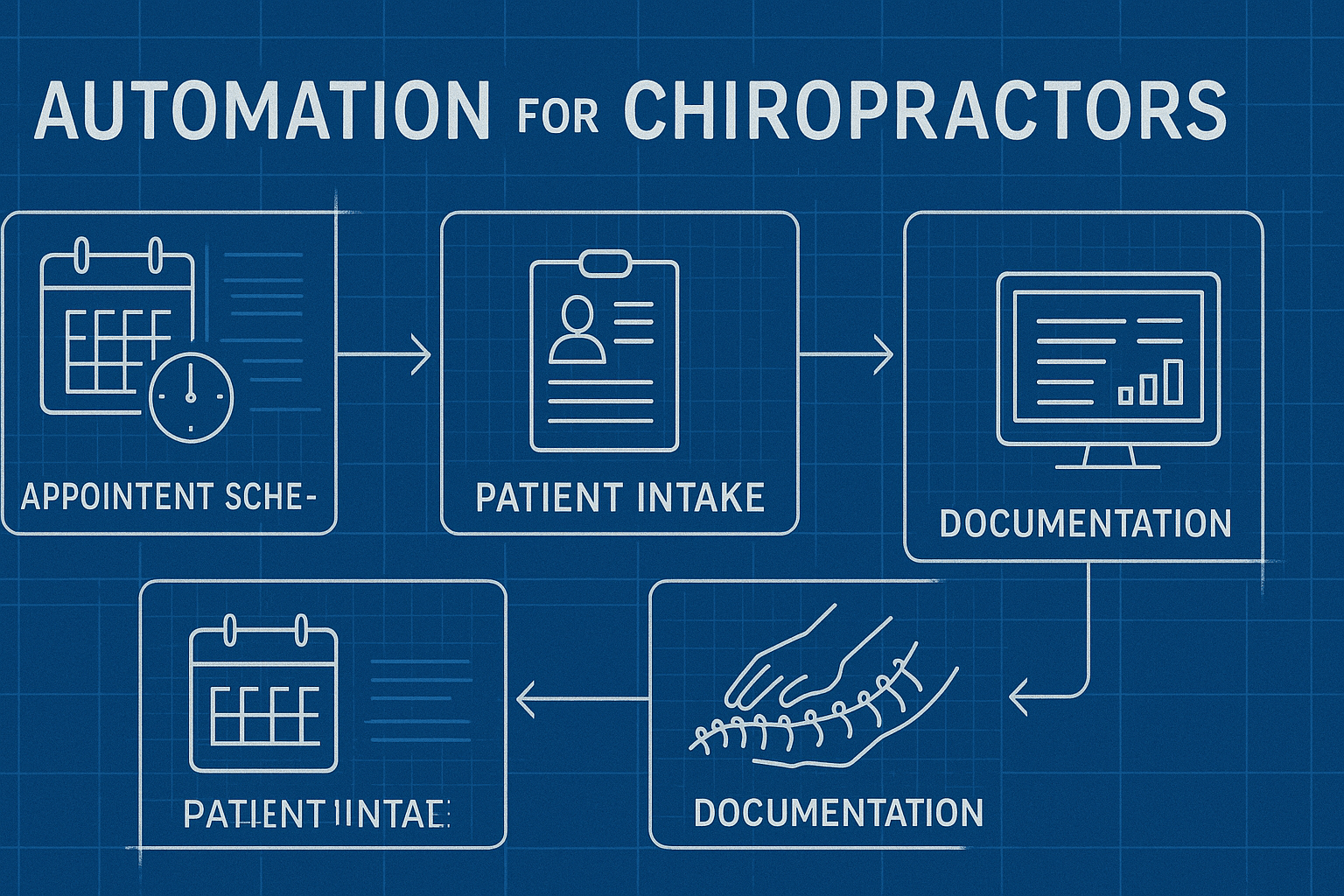
Why Chiropractors Need Practice Automation Now
The modern chiropractic practice faces unique operational challenges that make automation essential rather than optional. Unlike other healthcare specialties, chiropractors typically rely on recurring patient visits and strong patient relationships to maintain revenue stability. This creates a complex web of scheduling coordination, treatment plan tracking, and ongoing communication that quickly overwhelms manual systems.
Time drain from administrative tasks: Research shows that healthcare professionals spend nearly 40% of their workday on administrative tasks rather than patient care. For solo practitioners and small chiropractic teams, this translates to hours lost each day on scheduling conflicts, insurance verification, payment processing, and patient follow-ups. Automation reclaims this time instantly.
Revenue leakage from inefficient systems: Every missed appointment represents lost revenue, and studies indicate that no-show rates can reach 20-30% without proper reminder systems. Manual billing processes delay payment collection, creating cash flow problems. Patient leads fall through the cracks when follow-up depends on remembering to call or email. These inefficiencies cost practices thousands of dollars monthly in preventable revenue loss.
Patient experience expectations: Today's patients compare your practice operations to their experiences with tech-forward companies like Amazon and Uber. They expect to book appointments through your website at midnight, receive instant confirmations, complete intake forms digitally, and get automatic reminders. Practices that require phone calls during business hours and paper forms appear outdated, driving patients toward more convenient alternatives.
Competitive pressure from multi-location practices: Corporate chiropractic chains and multi-location practices leverage automation to scale efficiently. They can serve more patients with fewer staff members per location because their systems handle routine tasks automatically. Independent practitioners must adopt similar automation tools to compete effectively on service quality and operational efficiency.
Core Automation Systems Every Chiropractic Practice Needs
Building a comprehensive automation strategy requires understanding which systems deliver the highest return on investment. These core automation categories address the most time-consuming and revenue-critical aspects of practice management.
Appointment Scheduling & Calendar Management
Automated scheduling systems eliminate phone tag and streamline the entire appointment workflow. Patients book available time slots through your website or patient portal, with the system automatically updating your calendar, sending confirmation emails, and blocking unavailable times. The system should:
- Sync across multiple calendars to prevent double-booking and ensure accuracy across platforms
- Offer real-time availability based on appointment type, provider schedule, and treatment room availability
- Enable online rescheduling so patients can modify appointments without staff intervention
- Integrate with your practice management software to maintain a single source of truth for all scheduling data
- Support buffer times and appointment rules like minimum booking notice and maximum daily patient limits
Patient Communication Automation
Consistent, timely communication strengthens patient relationships while reducing administrative burden. Automated communication systems handle appointment reminders, follow-up sequences, treatment plan check-ins, and re-engagement campaigns without manual effort.
Appointment reminder sequences: Multi-channel reminders via SMS, email, and app notifications sent at optimal intervals (typically 7 days, 1 day, and 2 hours before appointments) reduce no-show rates by 30-50%. The system should allow patients to confirm, reschedule, or cancel with a single click, automatically updating your schedule.
New patient onboarding: Automated welcome sequences introduce your practice, deliver intake forms, explain what to expect during the first visit, and collect necessary medical history before the patient arrives. This creates a professional first impression while saving 15-20 minutes of staff time per new patient.
Treatment plan compliance: Automated check-in messages between visits keep patients engaged with their care plan, provide exercise reminders, and encourage completion of recommended treatment sequences. This improves outcomes while supporting revenue through better plan adherence.
Reactivation campaigns: Automatically identify patients who haven't scheduled appointments within expected timeframes and trigger personalized re-engagement messages. These campaigns recover lost patients and maintain treatment continuity without manual tracking.
Billing, Payments, & Insurance Workflow
Financial automation accelerates cash flow, reduces errors, and improves collection rates. Modern systems handle everything from insurance verification to payment processing with minimal staff involvement.
- Automated insurance verification: Systems check coverage and benefits before appointments, flagging issues that require patient attention before services are rendered
- Digital payment processing: Accept payments through multiple channels (online, in-office, via text link) with automatic receipt generation and accounting system integration
- Payment plan automation: Set up recurring payment schedules for treatment packages with automatic charging and failure notifications
- Claims submission and tracking: Automatically generate and submit insurance claims with intelligent error checking, then track status and automatically follow up on delayed payments
- Outstanding balance reminders: Gentle automated reminders about unpaid balances sent at strategic intervals, with easy payment links included
Marketing & Lead Management Automation
Growing your practice requires consistent marketing effort. Automation ensures leads receive immediate attention while nurturing prospects through multi-touch campaigns that build trust and drive conversions.
Lead capture and instant response: When potential patients submit contact forms or book consultations, automation triggers immediate confirmation emails with helpful information, meeting links, or booking instructions. This instant response dramatically improves conversion rates compared to manual follow-up that may take hours or days.
Multi-touch nurture campaigns: Automated email and SMS sequences educate prospects about common conditions you treat, share patient success stories, explain your treatment approach, and provide valuable health content. These campaigns keep your practice top-of-mind and build credibility over weeks or months until prospects are ready to book.
Review generation and reputation management: After successful treatment milestones, automation requests reviews from satisfied patients through personalized messages with direct links to your Google Business Profile or preferred review platforms. This consistently generates positive reviews without requiring staff to remember follow-up timing.
Referral program automation: Track referral sources automatically, trigger thank-you messages to referring patients, send rewards or incentives, and nurture referral relationships with periodic updates. This systematizes word-of-mouth growth instead of relying on occasional manual outreach.

Building Your Chiropractic Practice Automation Strategy
Implementing automation successfully requires strategic planning rather than simply purchasing software. The most effective automation strategies follow a proven methodology that aligns technology with your specific practice goals and operational realities.
Phase 1: Discovery & Goal Setting
Before selecting tools or building workflows, clarify exactly what you want automation to accomplish. Different practices have different priorities—one might focus on patient retention, another on new patient acquisition, and a third on operational efficiency.
Key questions to answer:
- What tasks currently consume the most staff time each week?
- Where are patients experiencing friction or dissatisfaction in their journey?
- What percentage of no-shows, cancellations, and late arrivals do you experience?
- How long does it take to collect payment after services are rendered?
- What's your current new patient conversion rate from initial inquiry?
- How many existing patients fall out of care before completing treatment plans?
Document your current metrics in these areas to establish baseline performance. Your automation strategy should directly address the 2-3 biggest opportunities for improvement based on both time savings and revenue impact.
Phase 2: Technology Selection & Architecture
Choosing the right automation platform determines long-term success. The chiropractic software market offers numerous options with varying strengths, from all-in-one practice management systems with built-in automation to specialized tools that excel at specific functions.
All-in-one vs. best-of-breed approach: All-in-one platforms like ChiroTouch, Jane App, or Kareo provide integrated scheduling, billing, documentation, and basic automation in a single system. Best-of-breed approaches combine specialized tools—a robust scheduling platform, dedicated marketing automation software, and separate payment processing—connected through integrations.
All-in-one platforms offer simplicity and easier implementation but may lack advanced automation capabilities. Best-of-breed solutions provide more powerful automation but require managing multiple tools and ensuring they communicate properly.
Critical integration requirements: Regardless of approach, your automation architecture must ensure data flows seamlessly between systems. Patient information entered once should populate everywhere automatically. Key integrations include:
- Practice management system ↔ Scheduling platform
- Patient database ↔ Email/SMS marketing automation
- Payment processing ↔ Accounting software
- Website forms ↔ Lead management system
- Calendar system ↔ Video conferencing (for telehealth)
Phase 3: Workflow Design & Implementation
With tools selected, design specific automated workflows that handle routine processes from start to finish. Effective workflows eliminate manual handoffs, reduce decision-making burden on staff, and create consistent experiences for patients.
New patient journey automation:
- Patient submits inquiry form → Instant confirmation email with practice information
- Staff receives notification → Lead assigned to front desk team member
- Automated follow-up sequence begins → Email/SMS with booking link sent within 5 minutes
- Patient books appointment → Confirmation sent, intake forms delivered automatically
- 7 days before visit → Reminder with intake form completion status check
- 1 day before visit → Final reminder with directions and parking information
- 2 hours before visit → SMS reminder with one-click confirmation
- Day after visit → Thank you message requesting feedback
- 3 days after visit → Educational content about their condition and treatment plan
Existing patient visit cycle:
- Treatment plan appointment auto-scheduled based on recommended frequency
- Standard reminder sequence (7 days, 1 day, 2 hours) sent automatically
- Check-in automation updates patient record and notifies provider
- Post-visit documentation triggers next appointment recommendation
- If appointment not scheduled within 48 hours → Automated booking reminder
- Between-visit exercise reminder sent 2 days after appointment
- If patient misses next scheduled appointment → Automated outreach sequence begins
Phase 4: Quality Assurance & Launch Readiness
Before activating automation for all patients, thorough testing prevents embarrassing errors and ensures smooth operation. Create test patients in your system and run them through every automated workflow.
Testing checklist:
- Verify all automated messages use correct practice information and personalization
- Test scheduling automation for various appointment types and time scenarios
- Confirm integrations pass data accurately between systems
- Validate payment processing workflows from transaction to accounting
- Review automated message timing and ensure appropriate intervals
- Test opt-out mechanisms for all communication channels
- Verify mobile responsiveness of all patient-facing automated content
Implement a phased rollout starting with low-risk workflows (like appointment reminders) before activating more complex automation (like multi-step lead nurture campaigns). This allows you to refine processes based on real-world feedback before full deployment.
Measuring Automation Performance & ROI
Automation investments must demonstrate clear returns through improved metrics and operational efficiency. Tracking the right key performance indicators proves automation value and identifies optimization opportunities.
Practice Efficiency Metrics
These metrics reveal how automation improves daily operations and reduces administrative burden on your team.
| Metric | Pre-Automation Baseline | Post-Automation Target |
|---|---|---|
| Average time to schedule new patient | 8-12 minutes (phone-based) | 2-3 minutes (online self-service) |
| Staff hours on appointment scheduling weekly | 15-25 hours | 5-8 hours |
| Time from service to payment collected | 15-30 days | 0-7 days |
| New patient intake form completion time | 15-20 minutes in-office | 8-12 minutes at home (pre-visit) |
Patient Experience & Retention Metrics
No-show and cancellation rates: Effective reminder automation typically reduces no-shows by 30-50%, directly impacting revenue and schedule efficiency. Track these rates weekly and by appointment type to identify which workflows need refinement.
Treatment plan completion rates: Automated check-ins and compliance reminders should increase the percentage of patients who complete recommended care sequences. Monitor completion rates by treatment type and compare to pre-automation baselines.
Patient reactivation success: Measure how many lapsed patients reschedule after receiving automated reactivation campaigns. Effective campaigns typically recover 15-25% of patients who haven't visited in 90+ days.
Patient satisfaction scores: Survey patients about their experience with automated systems—online scheduling convenience, reminder helpfulness, and communication preferences. High satisfaction (8+ out of 10) validates your automation approach.
Revenue & Growth Metrics
- New patient conversion rate: Track what percentage of inquiries become booked appointments, and what percentage of booked appointments actually arrive. Automation should improve both conversion points significantly.
- Average patient lifetime value: By improving retention and treatment plan completion, automation increases how much revenue each patient generates over their entire relationship with your practice.
- Collection rates: Automated billing and payment reminders should increase the percentage of services that result in payment, reducing write-offs and bad debt.
- Marketing cost per new patient: Lead nurture automation improves conversion from marketing campaigns, reducing the cost required to acquire each new patient.
Creating Your Automation Dashboard
Consolidate these metrics into a single dashboard that provides at-a-glance visibility into automation performance. Tools like Google Looker Studio, Tableau, or built-in analytics from your practice management system can aggregate data from multiple sources into unified reporting.
Your dashboard should update automatically, pulling data from your scheduling system, payment processor, marketing automation platform, and patient database. Review key metrics weekly to spot trends early and quarterly for strategic planning.

Advanced Automation Strategies for Growth-Focused Practices
Once core automation workflows run smoothly, advanced strategies unlock additional growth opportunities. These sophisticated approaches require more setup but deliver compounding returns over time.
Behavioral Segmentation & Personalized Campaigns
Not all patients are the same—they have different conditions, treatment goals, communication preferences, and engagement levels. Advanced automation segments patients based on behavior and demographics, then delivers personalized experiences automatically.
Condition-specific nurture tracks: Create separate automated campaigns for different patient segments—sports injury patients receive content about athletic performance and injury prevention, while office workers get ergonomics tips and posture guidance. This relevance increases engagement and positions you as a specialist for their specific needs.
Engagement-based messaging: Highly engaged patients who always respond to messages receive different communication than low-engagement patients who rarely interact. Tailor message frequency, channel preference (email vs. SMS), and content complexity based on observed behavior patterns.
Lifecycle stage automation: New patients need education and relationship building. Active treatment patients require compliance support. Maintenance patients benefit from wellness content and periodic check-ins. Map distinct automation sequences to each lifecycle stage for optimal results.
Predictive Analytics & Proactive Outreach
Modern automation platforms use machine learning to identify patterns in patient behavior and predict future actions. This enables proactive intervention before problems occur.
Churn risk prediction: Systems can flag patients who show early warning signs of disengagement—appointment scheduling gaps, declining response to messages, or changing communication patterns. Trigger special retention campaigns for at-risk patients before they fully disengage.
Optimal appointment timing: Analyze historical scheduling data to predict when each patient is most likely to book their next appointment based on their typical frequency. Send booking reminders at precisely the right moment for maximum conversion.
Marketing Attribution & Multi-Touch Campaign Optimization
Understanding which marketing activities actually drive new patients requires sophisticated tracking and attribution. Advanced automation connects marketing touchpoints to actual patient acquisition and revenue.
Full-funnel tracking implementation: Track every interaction a prospect has with your practice—website visits, blog post reads, social media engagement, email opens, form submissions, and phone calls. Connect this activity data to eventual appointments and revenue to understand true marketing ROI.
Attribution modeling: Not all marketing touchpoints contribute equally to conversions. Implement attribution models (first-touch, last-touch, or multi-touch) that accurately credit different marketing activities based on their role in the patient journey. This reveals which campaigns deserve more investment.
Automated campaign optimization: Use performance data to automatically adjust campaign parameters—pause underperforming ad sets, increase budget for high-converting channels, or modify messaging based on engagement rates. This creates a self-optimizing marketing engine.
Common Automation Pitfalls & How to Avoid Them
While automation delivers tremendous benefits, implementation mistakes can create patient frustration and staff resistance. Avoid these common pitfalls to ensure successful adoption.
Over-Automation & Loss of Personal Touch
The mistake: Automating every patient interaction until the practice feels impersonal and robotic. Patients value human connection, especially in healthcare where trust and relationships matter tremendously.
The solution: Identify which interactions benefit from automation (routine confirmations, simple information delivery, transactional communications) versus which require personal attention (new patient consultations, complex treatment discussions, addressing concerns). Use automation to handle repetitive tasks so staff has more time for meaningful human interactions.
Poor Message Quality & Generic Content
The mistake: Using generic, impersonal automated messages that feel like spam. Messages that don't reflect your practice's voice or fail to personalize create negative patient experiences.
The solution: Invest time in crafting automated messages that sound natural and authentic. Use personalization variables (patient name, appointment type, specific treatment details) throughout. Write messages the way you would speak to patients in person. Test messages with staff and friendly patients before launching.
Insufficient Testing & Quality Control
The mistake: Launching automated workflows without thorough testing, leading to embarrassing errors—wrong dates, broken links, messages sent at inappropriate times, or referencing incorrect patient information.
The solution: Create comprehensive testing protocols with test patients running through every workflow. Assign staff members to receive test messages and verify timing, content, and functionality. Implement monitoring to catch failures quickly when automation doesn't execute as expected.
Neglecting Mobile Optimization
The mistake: Most patients interact with automated messages on mobile devices, yet many practices create desktop-optimized content that's difficult to read or navigate on smartphones.
The solution: Design all automated content mobile-first. Test messages, forms, and booking pages on various mobile devices. Ensure buttons are easy to tap, text is readable without zooming, and forms work smoothly on small screens.
Ignoring Opt-Out and Privacy Requirements
The mistake: Failing to provide clear opt-out mechanisms or continuing to message patients who've unsubscribed. This violates regulations (TCPA, CAN-SPAM) and damages your reputation.
The solution: Include unsubscribe options in every marketing message. Honor opt-out requests immediately and across all systems. Maintain clear documentation of consent for text message communications. Review privacy compliance requirements for all automated patient communications.
Industry-Specific Best Practices for Chiropractors
Chiropractic practices have unique operational characteristics that require tailored automation approaches. These industry-specific strategies maximize automation effectiveness for your specialty.
Treatment Package & Care Plan Automation
Many chiropractors offer treatment packages or multi-visit care plans sold upfront. Automation should support this business model by tracking plan usage, scheduling remaining visits, and managing package renewals.
- Automatically schedule remaining visits when patients purchase treatment packages
- Send automated reminders when patients have visits remaining on their package but haven't scheduled
- Track visit usage and trigger renewal conversations when packages near completion
- Provide automated progress updates showing improvement milestones within treatment plans
Insurance vs. Cash-Pay Patient Workflows
Automation strategies differ significantly for insurance-based versus cash-pay patients. Insurance patients require verification workflows and claims automation, while cash-pay patients need clear pricing communication and simplified payment processing.
Insurance patient automation: Verify benefits before appointments, automate claims submission and tracking, send automated EOB explanations, and follow up on denied claims systematically.
Cash-pay patient automation: Provide clear upfront pricing in booking confirmation messages, offer payment plan enrollment during onboarding, send automated payment receipts, and simplify membership or package purchases.
Seasonal and Condition-Specific Campaigns
Certain chiropractic conditions and patient needs follow seasonal patterns. Automation should capitalize on these trends with timely, relevant campaigns.
- Back-to-school campaigns: Target parents and students with posture and backpack safety content in August-September
- New Year wellness initiatives: Promote wellness packages and fitness-related services in January when health motivation peaks
- Sports injury seasons: Align campaigns with local sports seasons when injury treatment demand increases
- Cold weather campaigns: Address seasonal pain complaints and winter wellness topics during colder months
Referral Network Automation for Healthcare Providers
Building strong referral relationships with other healthcare providers requires consistent communication. Automate aspects of professional relationship management to strengthen your referral network.
Send automated updates to referring providers when their patients visit your practice, with progress reports at key milestones. Deliver quarterly practice newsletters to your professional network highlighting new services and case studies. Trigger thank-you messages to providers who refer patients, reinforcing the relationship and encouraging future referrals.
Implementation Roadmap: Your First 90 Days
Successfully implementing automation requires a structured approach. This 90-day roadmap provides a practical timeline for building automation capabilities progressively.
Days 1-30: Foundation & Quick Wins
Week 1-2: Audit current processes and identify highest-impact automation opportunities. Document existing patient journey touchpoints and time spent on administrative tasks. Select primary automation platform and supporting tools based on your needs and budget.
Week 3-4: Implement appointment reminder automation first—this delivers immediate ROI through reduced no-shows with minimal setup complexity. Configure basic reminder sequences (7 days, 1 day, 2 hours before appointments) via SMS and email. Enable online rescheduling so patients can modify appointments through reminder messages.
Days 31-60: Core Automation Expansion
Week 5-6: Add online scheduling capabilities to your website, allowing new and existing patients to book appointments 24/7. Set up automated confirmation and welcome messages for online bookings. Configure calendar rules and buffer times to maintain schedule control.
Week 7-8: Implement new patient onboarding automation. Create digital intake forms and automate delivery after appointment booking. Build welcome email sequences that introduce your practice and set expectations. Design post-first-visit follow-up sequences to gather feedback and encourage booking next appointments.
Days 61-90: Advanced Workflows & Optimization
Week 9-10: Launch payment and billing automation. Enable online payment processing and automated receipt delivery. Configure payment plan automation for treatment packages. Set up gentle automated reminders for outstanding balances.
Week 11-12: Build marketing automation workflows—lead nurture sequences for prospective patients, reactivation campaigns for lapsed patients, and review request automation for satisfied patients. Set up your analytics dashboard to track automation performance metrics. Review 30-day and 60-day results to identify optimization opportunities.
Conclusion: The Competitive Advantage of Automation
Automation transforms chiropractic practices from reactive, administratively-burdened operations into proactive, efficient patient care organizations. The practices that embrace automation gain immediate advantages—better patient experiences, higher retention rates, improved cash flow, and more time for growth activities. Those that delay adoption fall progressively behind as patient expectations continue rising and competitive pressure intensifies.
The most successful implementations start with clear goals, implement systematically, measure results rigorously, and optimize continuously. Automation isn't a one-time project but an ongoing capability that compounds in value over time as you refine workflows and add sophistication.
Start with high-impact, low-complexity automation like appointment reminders and online scheduling. Build confidence and competence through early wins, then progressively add more advanced capabilities. The practices that begin this journey today will be significantly more efficient, profitable, and competitive than those still relying on manual processes next year.
Frequently Asked Questions
Let’s level up your Chiropractors business
Need services that actually move the needle for Chiropractors? See our approach, pricing, and timelines—then book a quick call.
Additional Resources
- Schedule Your Automation Strategy Session
Book a complimentary 30-minute consultation to discuss your practice's specific automation needs and opportunities. We'll review your current workflows, identify high-impact automation priorities, and outline a customized implementation roadmap with clear timelines and expected ROI for your chiropractic practice.
- View Our Chiropractic Automation Portfolio
Explore real-world case studies and success stories from chiropractic practices that have transformed their operations through strategic automation. See measurable results including reduced no-show rates, increased patient retention, streamlined billing processes, and significant time savings across scheduling and communication workflows.
- Access Free Chiropractic Practice Tools
Download our collection of free resources designed specifically for chiropractors, including automation readiness assessment checklists, patient communication templates, ROI calculators for automation investments, workflow mapping guides, and implementation planning worksheets to jumpstart your automation journey.
Related Reading
Discover how automation transforms personal injury law practices with proven ROI strategies, case studies, and implementation guides ⚡ Maximize efficiency today 🎯
Discover how automation transforms physical therapy practices. Reduce admin time by 40%, improve patient engagement, and scale operations with proven automation playbooks.

Discover how automation for electricians streamlines scheduling, invoicing, lead tracking, and customer follow-ups to boost revenue and efficiency. Get started today.